Soccer Game Tracker
Native iOS app for coaches to track game data. Solo project, in active use.
Project Overview #
A native iOS app, built by a coach, who needed fast and reliable game tracking without surrendering data to a third-party platform, designed for the sideline, built in Swift.
ROLE: Designer & Developer
STACK: SwiftUI
STATUS: Work in progress
Introduction #
Coaching a youth soccer team generates a surprising amount of data. Scores, substitutions, player minutes, goals, assists, saves, cards. The problem isn’t that the data is hard to capture; it’s that every existing option forces a tradeoff I wasn’t willing to make. Pen and paper is fast but produces nothing useful afterward. Third-party apps are convenient but own your data, require accounts, and are built for organizations, not individual coaches. I wanted something purpose-built for how I actually work on a sideline: fast to set up, minimal interaction during play, and with data I control entirely.
The harder right choice #
I built SoccerGameTracker as a native iOS app in Swift, solo, from scratch. The easier path would have been a PWA or React Native wrapper; I’ve shipped both, and they’re faster to build. I chose Swift because a sideline app has a specific performance contract: launch instantly, respond without lag when a goal gets scored, never drop data if the phone gets pocketed. Native with local storage and no network dependency satisfies all three. No sync to worry about, no account to authenticate, no API that might be down at kickoff.
every decision went through one person: me
Constraint clarified scope. Without a backend, multi-device sync and shared rosters aren’t on the table, and that’s fine. Knowing what the app isn’t made it easier to build what it is. I handled both the design and implementation entirely, which meant every decision, from interaction model to data structure, went through one person. That’s mostly an advantage when you need to move fast and stay opinionated.
Designing for the sideline #
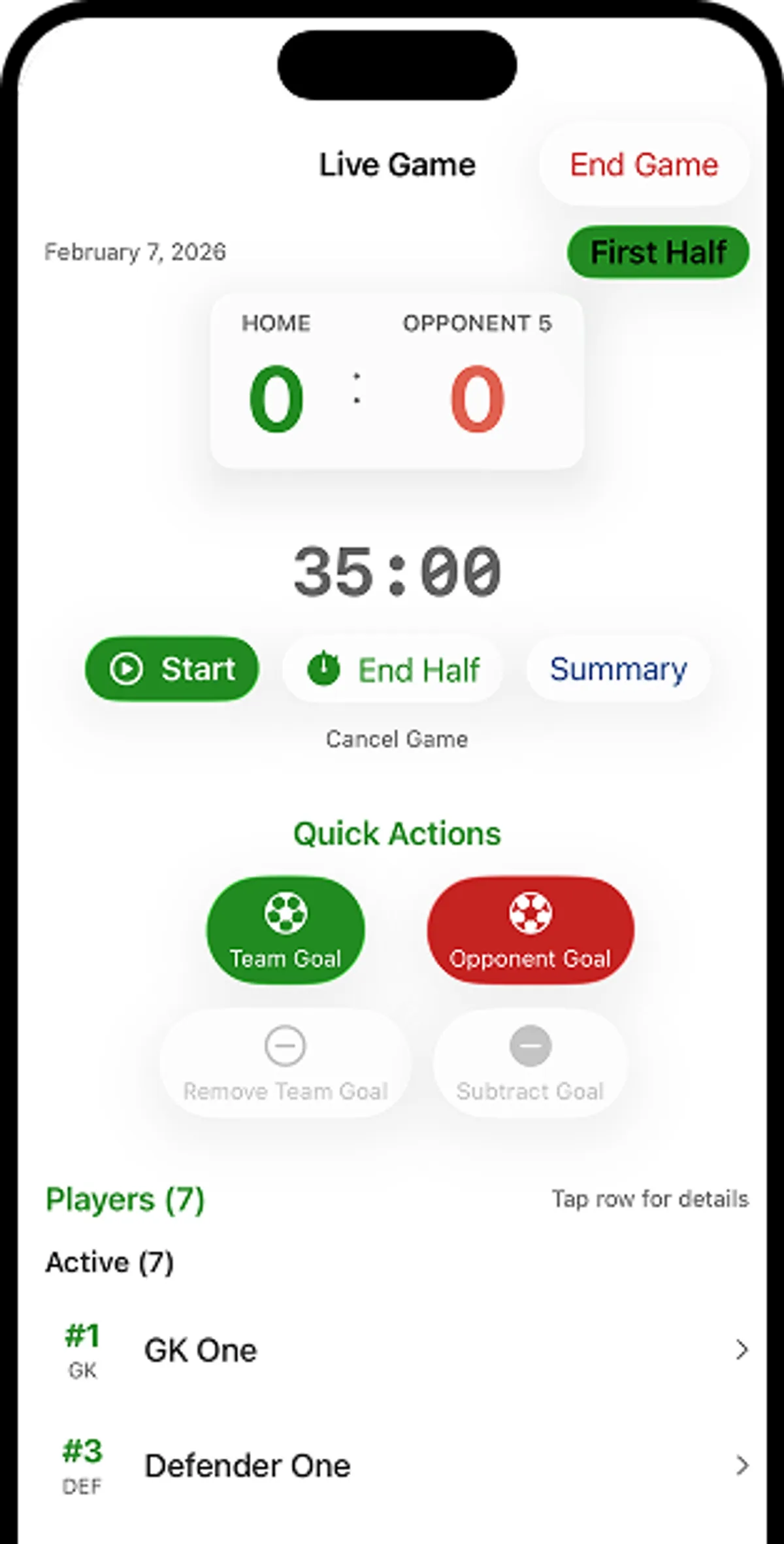
The core design problem is attention.
During a live game, a coach is watching players, calling substitutions, talking to parents. The app gets a glance and a thumb tap, not focused interaction. Every decision on the Live Game screen follows from that.
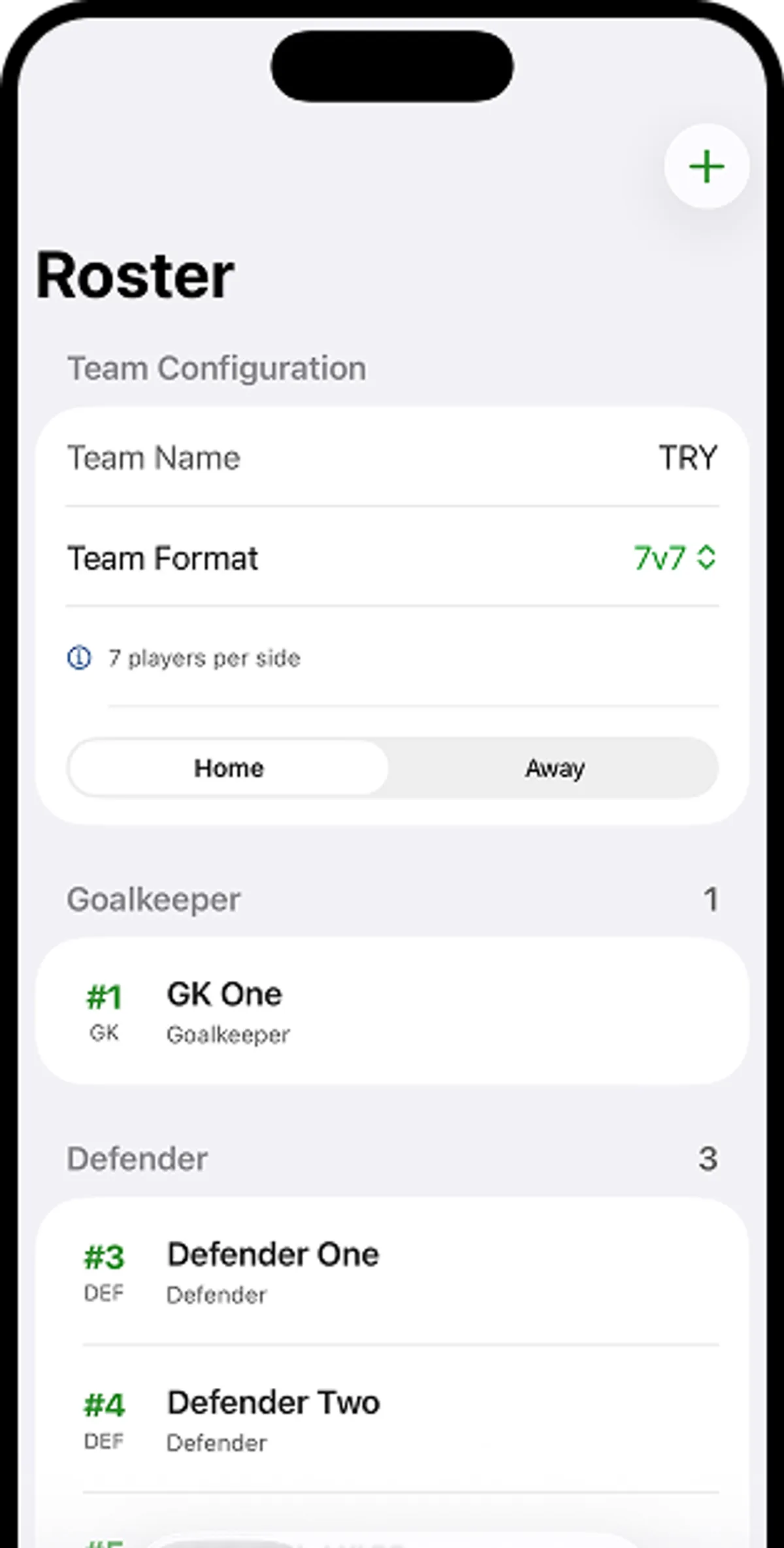
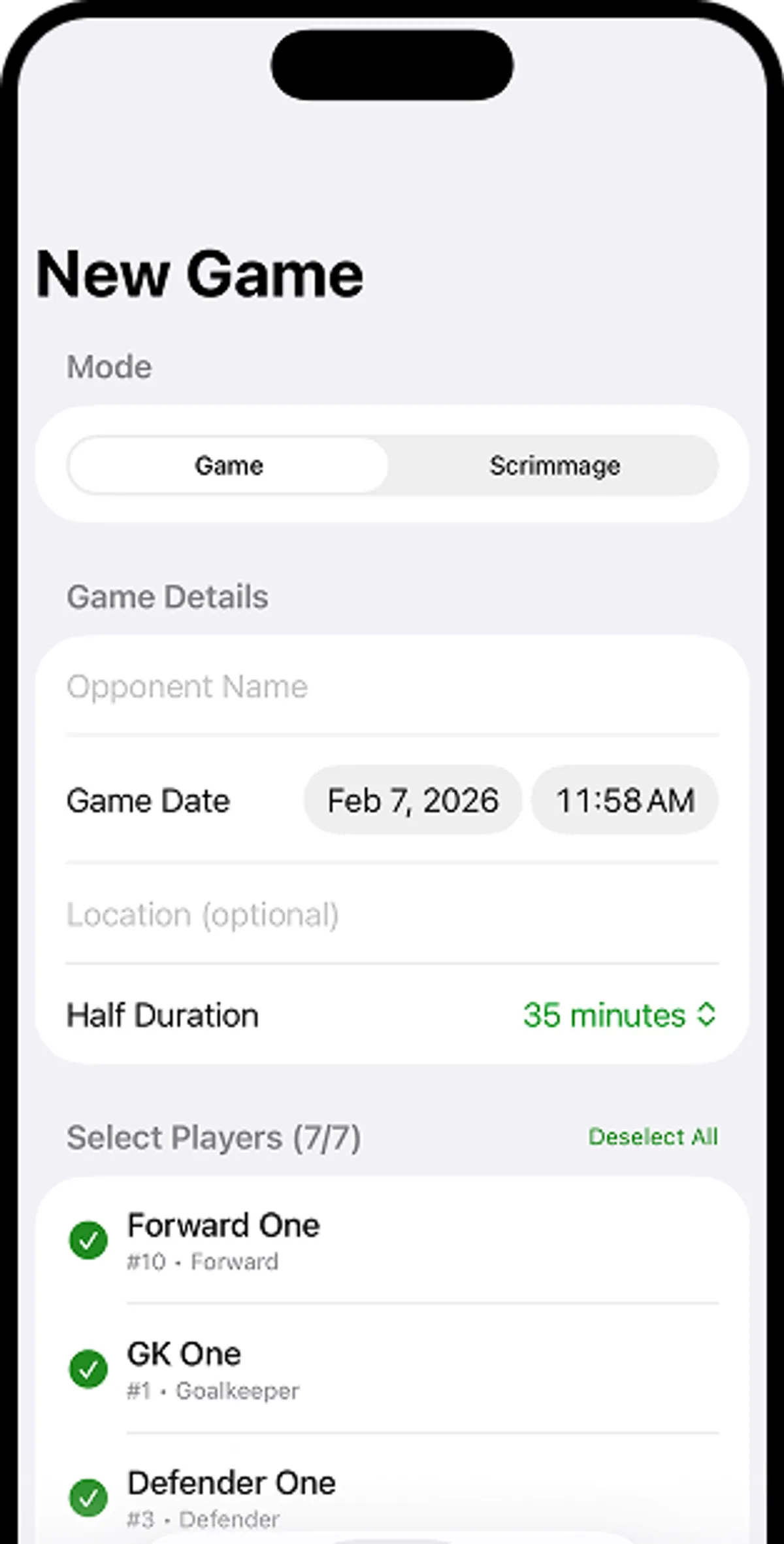
New Game collects opposition, date, location, and half duration, everything you'd put on a physical scoresheet, plus roster selection from a pre-built player list with jersey number and position.
The Game vs. Scrimmage toggle is a small but deliberate decision: scrimmages have different stakes and different lineup dynamics, and I wanted the history to reflect that distinction clearly.
Substitutions #
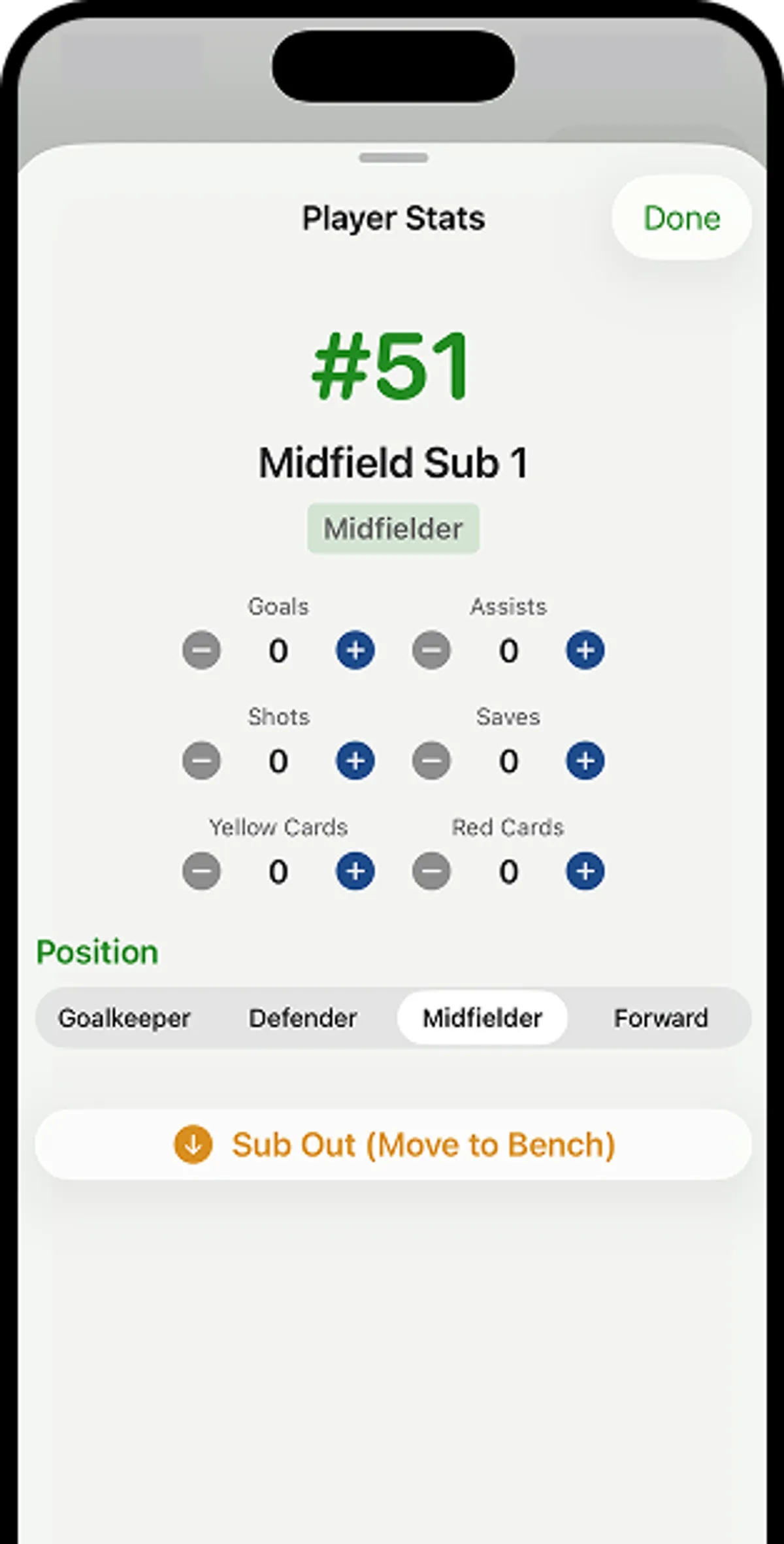
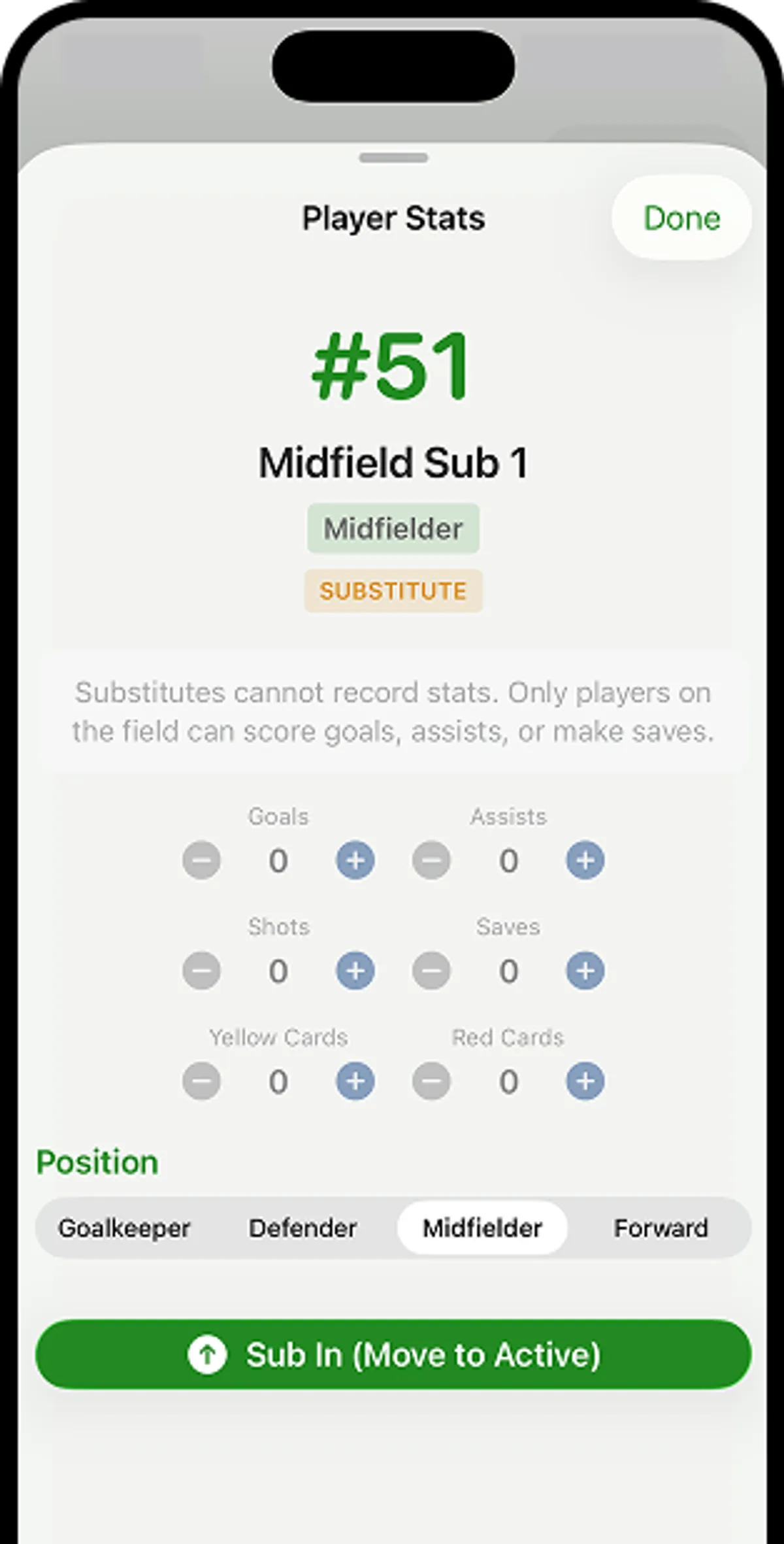
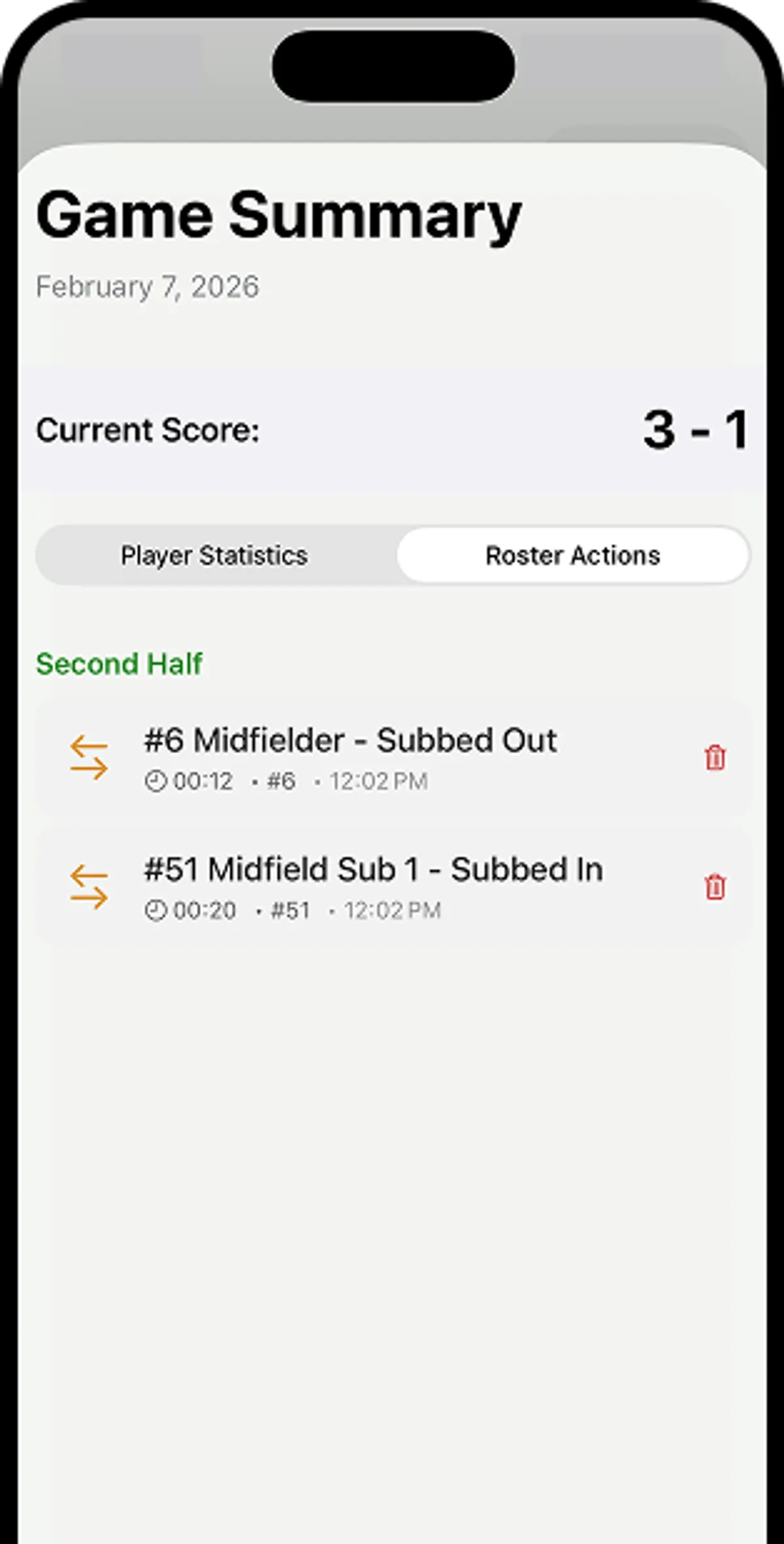
Substitutions were a meaningful product decision. Mid-game sub support, with a distinct “substituted out” state separate from bench status, reflects how substitutions actually work: a player who comes off isn’t the same as a player who never started. Getting that distinction right matters for per-player stats to be accurate.
After the game #
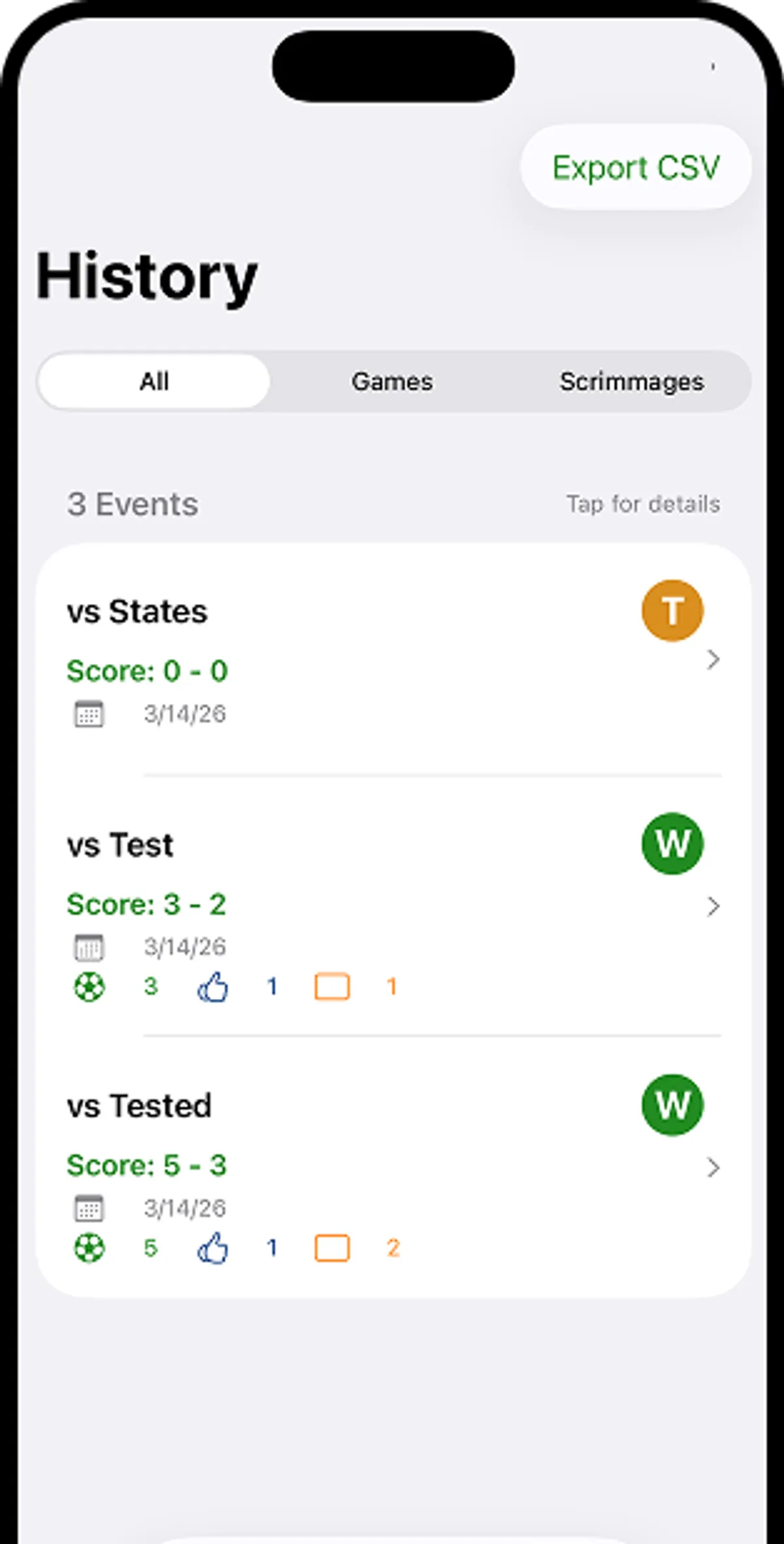
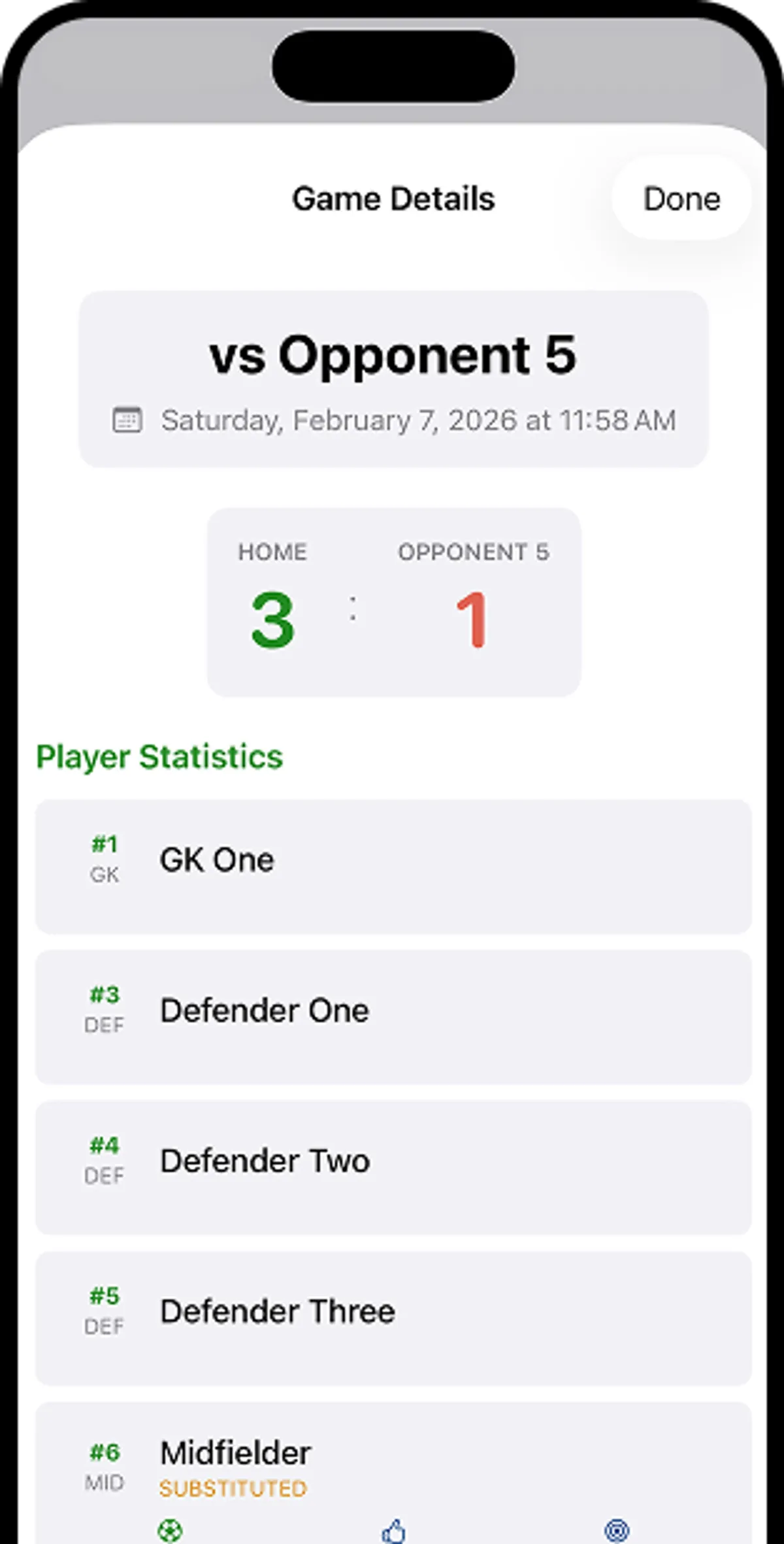
As a coach, being able to view historical information is a key part in planning practices, setting lineups, and determining strategy.
History #
Where it stands #
The app is in active use this season, tested against the real constraint it was built for: a sideline, in real game conditions. Feedback from that use has been indispensable, with the per-player stats used between games to inform lineup and substitution planning. That’s the outcome I was building toward.
What real use has surfaced is mostly sequencing: the transition from pre-game setup into the live view needs less friction, and the post-game summary screen is still being refined. Those are the next iterations.
An App Store release is planned once the final rough edges are resolved. The app does one thing, does it reliably, and doesn’t ask for anything it doesn’t need.